
Many improvements have been made in version 2022.1. This document contains a list of short descriptions for each new feature, improvement and enhancement.

ThinkDesign 2022.1 delivers enhancements for the Full Hybrid Modeling.
Smooth Mesh command (Modify ⇨ Mesh ⇨ Smooth)
This command used for reducing mesh noise whilst keeping the general shape has evolved
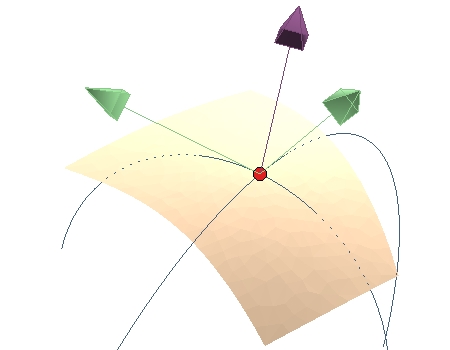
Local command (Tools ⇨ Info ⇨ Analysis ⇨ Local)
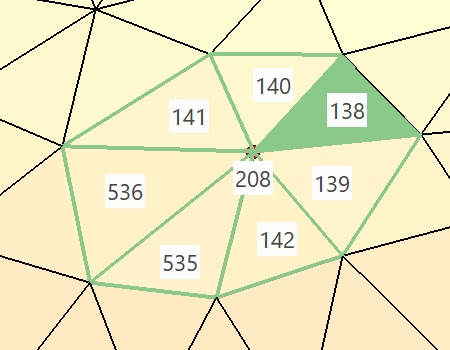
Local can be used on mesh entities to provide locally position, tangency and curvature information. Some additional information concern mesh nodes and facets connectivities.
Thus, outdated Local Mesh command, now fully covered by Local, has been removed.
 |
 |
Custom View Definition command (Insert ⇨ Drawing View ⇨ Main ⇨ Custom)
In Custom View Definition dialog box, it's easy to manage the visibility of objects. Select Visible Entities button
enables you to select the solids and profiles that you wish to see or not in the computed custom view. Starting from ThinkDesign 2022.1, you can also select meshes.
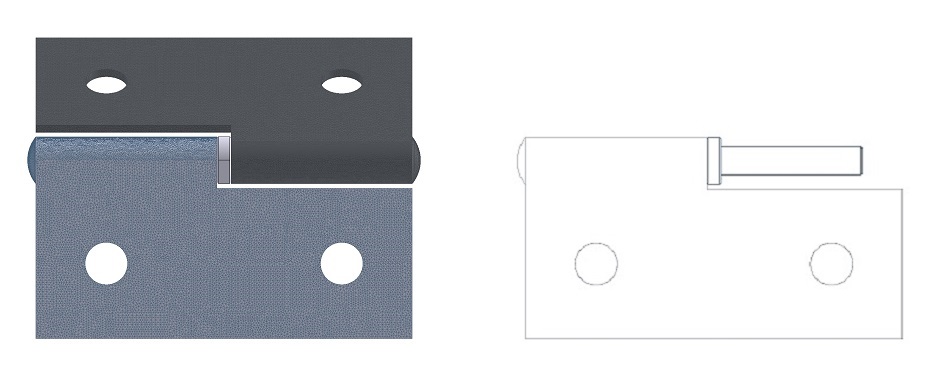 |
| On the left, the upper mesh is selected as a non-visible entity in preview area. On the right, the 2D Custom view. |
ThinkDesign 2022.1 provides enhancements for Part List command (Tools ⇨ Part List) and BOM:
Improvement of the user experience
The command provides a better look and feel with the usage of a new spreadsheet and selection list in the model environment.
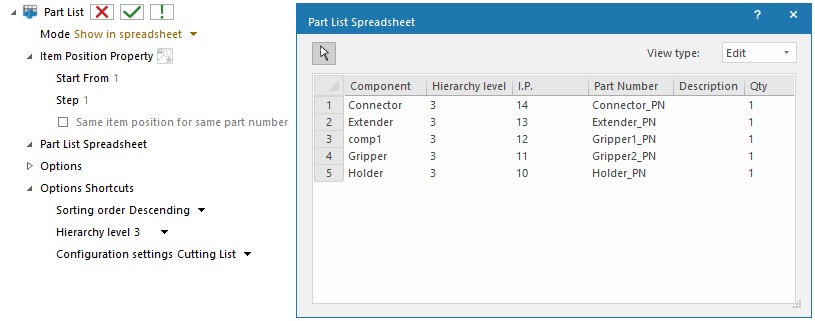
The spreadsheet table is focusing on the Part List result while the selection list is focusing on options or actions: Item Position modification, Apply/OK...
New mode in model environment
In the model environment, the spreadsheet provides 2 display modes: Edit and BOM.
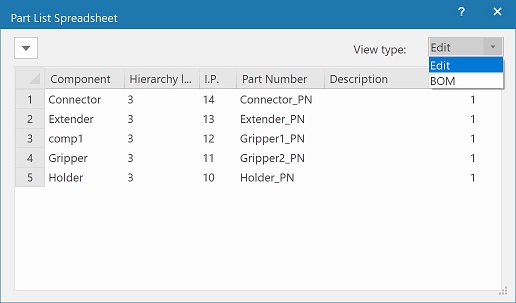
The Edit mode enable the user to change some entity properties (like Item Position or Quantity) and each line of the spreadsheet corresponds to a single components from the model.
With the BOM mode the spreadsheet groups all the components with the same sorting values. Each group is displayed as a single line in the table and the quantity is updated accordingly.
The BOM view is the same used in the drawing environment and it is the spreadsheet which is exported.
Options
The sorting options have been moved to a new dedicated page:
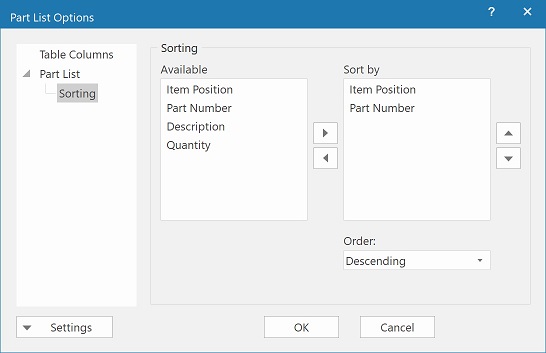
This new UI allows to pick easily the sorting choice from an existing set. It prevents typos or usage of wrong UDPs.
The Table Columns page shows two new options for additional columns: Model Structure Name and Hierarchy Level.
With these options the user can decide to show, export or hide these columns.
All options specific to the Drawing have been removed when running the command in Model environment.
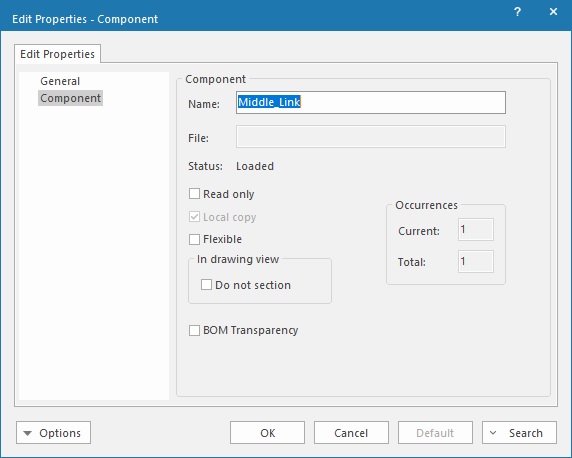
The new BOM Transparency option provides more flexibility for users working on models mixing components with and without part number.
When checked, this option enables Part List and ThinkTeam commands to consider child of components without part number.
Otherwise these children will be ignored by both commands.
This option is only available to components without part number. See components properties menu:
The user can decide to apply Automatic/Manual Balloons (Insert ⇨ Balloon ⇨ Automatic/Manual) and Item Position (Insert ⇨ Item Position Property) commands on entities without part number thanks to the new option Skip components without part number
Here is the behavior when this option is enabled:
ThinkDesign 2022.1 delivers the following UI enhancements:
ThinkDesign 2022.1 provides new implementation for converting STEP, IGES, VDA, Parasolid, ACIS, Solid Edge, JT and 2D PDF file formats and introduces the following enhancements:
ThinkDesign is now capable to READ:
ThinkDesign 2022.1.SP2:
ThinkDesign 2022.1.SP1:
ThinkDesign 2022.1:
ThinkDesign is now capable to WRITE:
The source code has been accurately revised to highly improve the program's robustness and reliability.
Copyright © 2022 DPTLab S.r.l. All rights reserved
