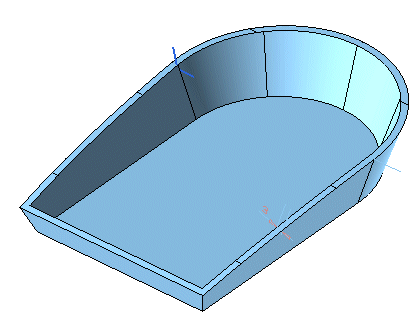
In this task you will use the Global Sweep command to create lips on some surfaces.
Please note that the model used in this task is contained in file "LIPS.e3".
| 1 | Start the Global Sweep command. In the
Motion Mode drop-down list select
Surface based. |
| 2 | As drive curves, select the inner boundaries of the uppermost surfaces. Right-click and select Continue to end the drive curve selection.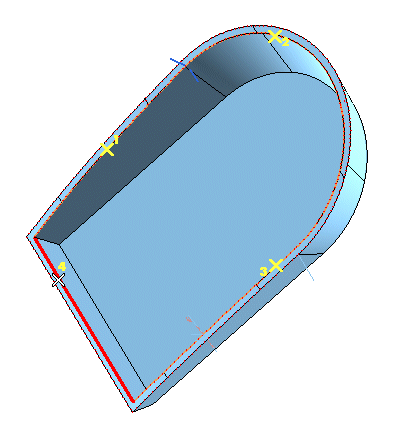 |
| 3 | In the Sweep drop-down list, choose
Curves and then select the section curves.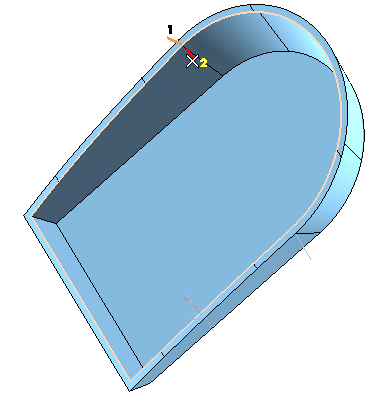 |
| 4 | Check the Close Sweep box to obtain a closed surface. Click the
Preview button (  ) to assess the result you will obtain. ) to assess the result you will obtain.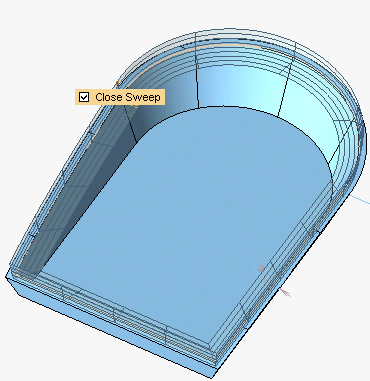 Click  to create the surfaces. to create the surfaces.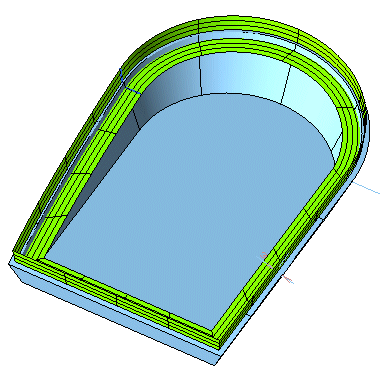 |
| 5 | Start the Make Solid command and transform all of the surfaces created using the Global Sweep command into a solid. |
| 6 | Finally, to obtain the "lips", start the Boolean Difference command and subtract the solid obtained in previous step (Solid B) from the original one (Solid A). The lips are created.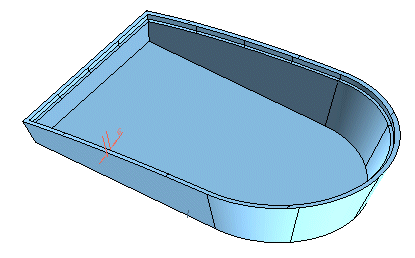 |