 button.
The Document Data tab is available in the File Properties dialog box which is displayed by the Properties command.
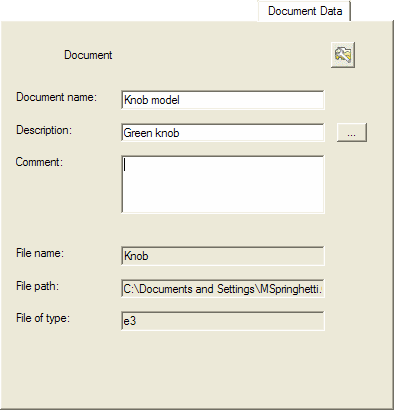
It enables you to edit the following Document Properties:
| Document name: | Enter the document name. Depending on your customization, this information may be automatically displayed in the Title Block. |
| Description: | Enter the document description. Depending on your customization, this information may be automatically displayed in the Title Block. You are enabled to access a dictionary of standard descriptions by means of the button. |
| Comment: | Optionally enter a comment. |
| File name: | Displays the name of the file. This field is managed by the program and is initialized only after the file has been saved. |
| File path: | Displays the path to the file. This field is managed by the program and is initialized only after the file has been saved. |
| File of type: | Displays the file extension. This field is managed by the program and is initialized only after the file has been saved. |
The  Set Default command clears the information in all fields.