All the Configuration Manager functionalities can be accessed from Tools
 Configuration Manager..., when no document is open.
| Note
All the Configuration Manager functionalities can be accessed from Tools Configuration Manager..., when no document is open. |
| 1 | Start the Save command. A browser window appears as shown in the figure.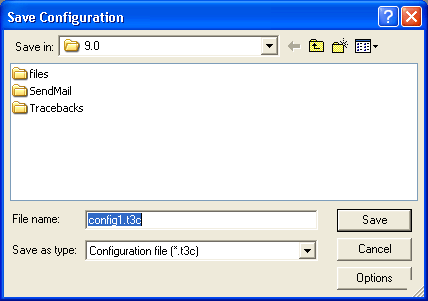 |
| 2 | Enter Sample.t3c for File name. |
| 3 | Perform this task Creating a new style to create a new style. |
| 4 | Click Options and select the settings as shown in the figure.
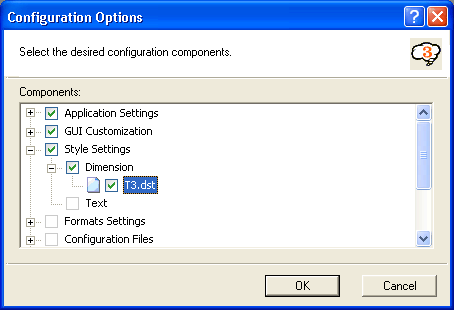 |
| 5 | Click OK to apply the settings. |
| 6 | Click Save to save the modified configuration. |